An interface is simply the point of contact between a user and a system. It is the visible, tangible part of the interaction.

Alan Zenreich, in Creative Black Book: Photography, 1985.
In everyday use, an interface most often means a graphical user interface — which, unlike the command line, has a visual dimension that allows for intuitive, visual interaction with the machine. This is the type of interface we are referring to here.
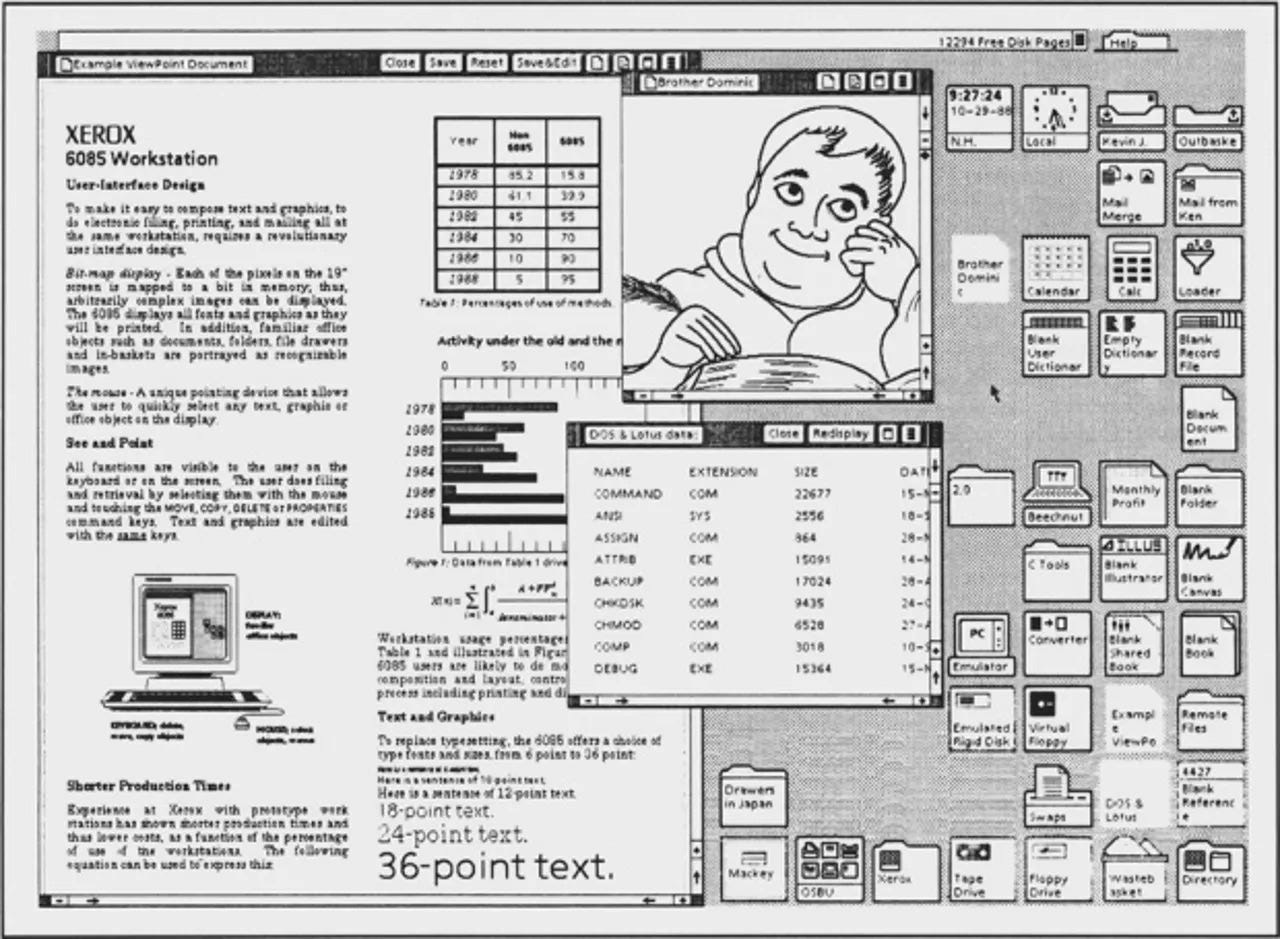
The Xerox Alto interface, considered the first graphical user interface for a personal computer, developed in 1973.
Designing for use
Because a graphical interface is inherently interactive, the designer must also think about pathways, reading experiences, and forms of interaction that guide users from point A to point B.
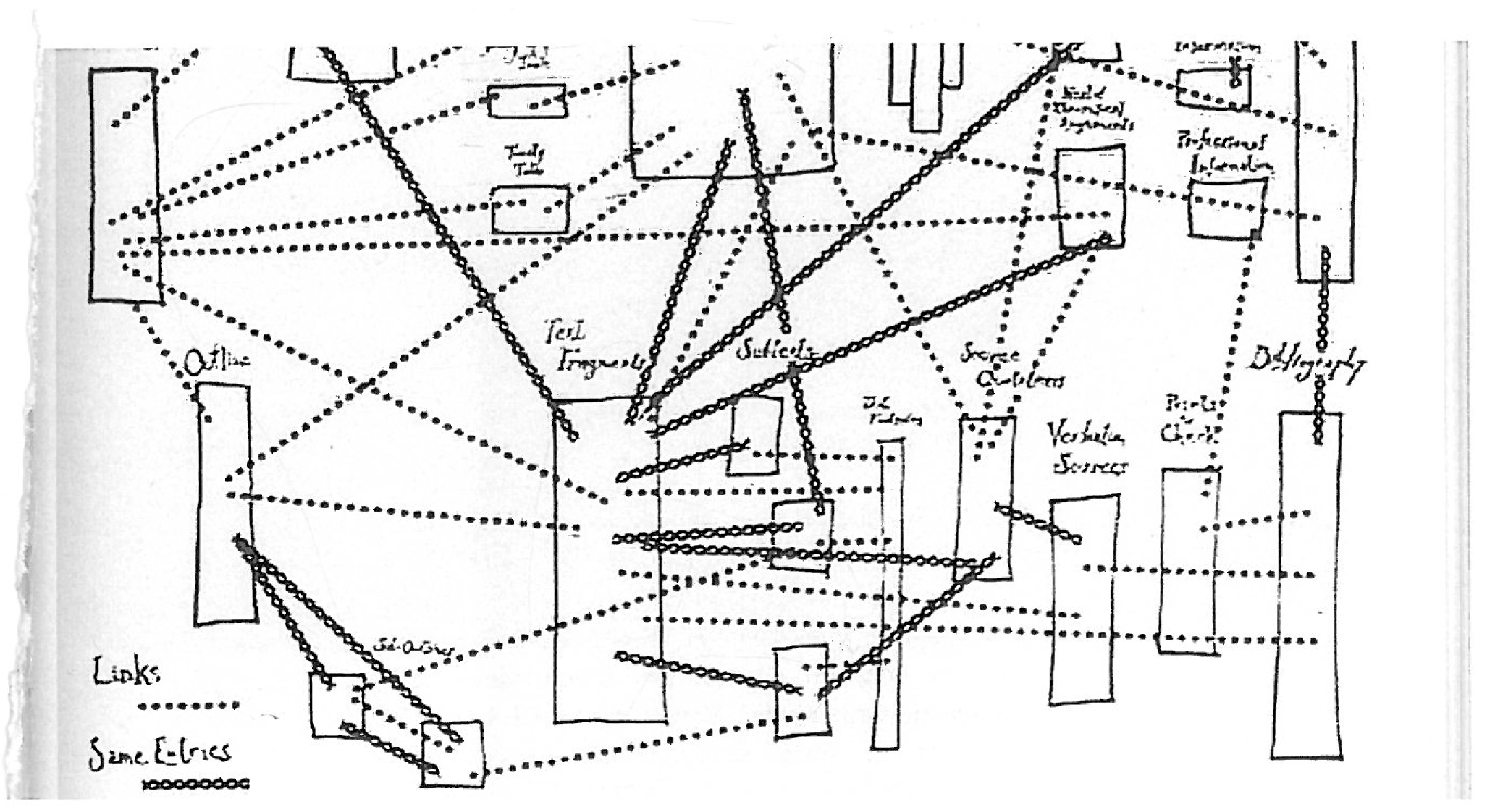
A diagram of Hypertext, as envisioned by Ted Nelson
It must also conceal the underlying technology and its complex computational logic — things the user does not need to understand in order to use it.
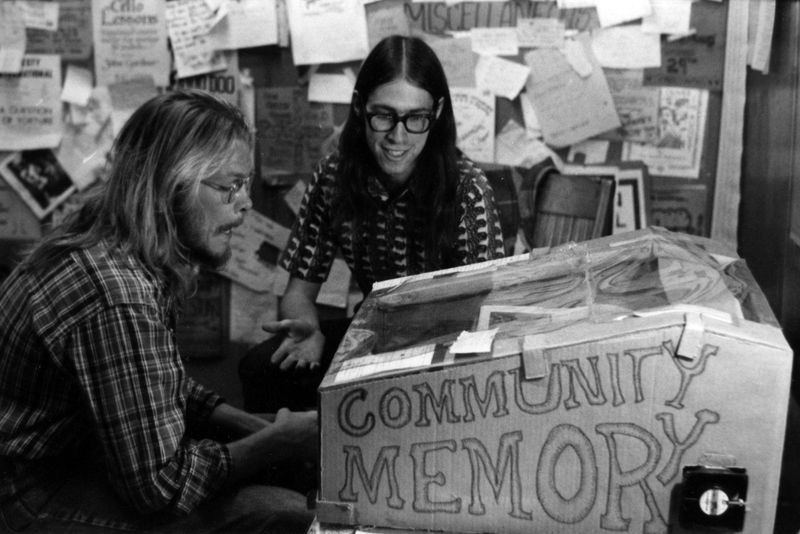
A Community Memory terminal installed at Leopold's Records, Berkeley
Use and experience
The dimensions of use and experience are therefore essential to understanding what is at stake in graphical interface design. Interfaces are made for users — so what do we want to allow them to do? And, by extension, what do we want to prevent them from doing?
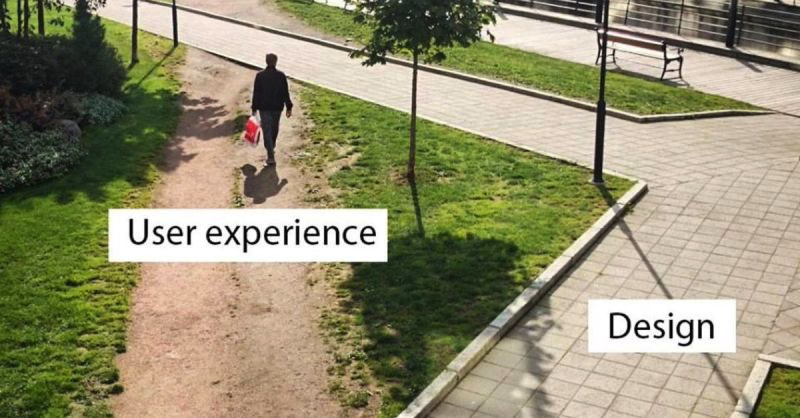
A desire line is a path gradually worn by erosion from the repeated passage of pedestrians, cyclists, or animals — most often outside the 'official' routes designated by authorities.
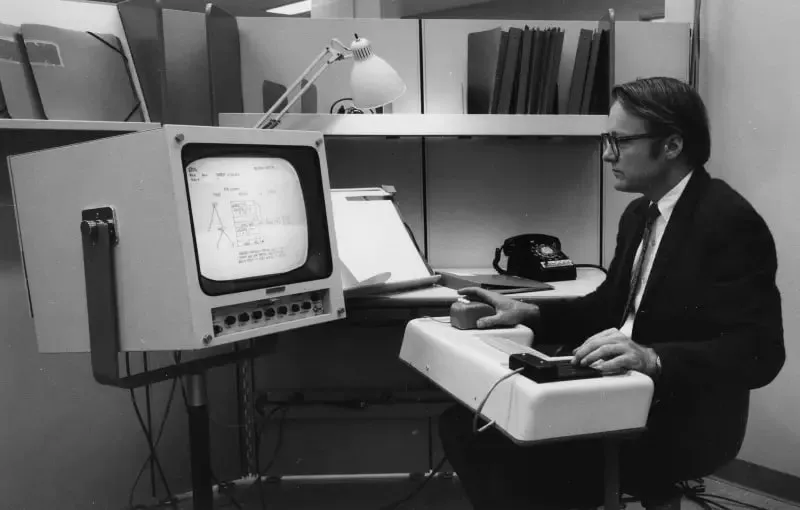
Douglas Engelbart
Funded by this sector, Douglas Engelbart developed a whole set of interfaces (and therefore uses) that would later be repurposed for a general audience. He is one of the pioneers of early graphical user interfaces (GUIs), as well as input devices such as the mouse.
Advertisement for the Osborne 1 microcomputer, 1980.
The first mainstream interfaces
The first mainstream users were, in fact, office workers.
Advertisement for the Osborne 1 microcomputer, 1980.
The desktop metaphor
The desktop metaphor immediately asserted itself in these early interfaces, because it drew on a familiar visual vocabulary that users could easily relate to.

The Xerox Star interface, 1981

The Magic Desk interface for the Commodore 64

The Magic Cap interface, designed by Susan Kare for Macintosh
Creating a sense of familiarity
The goal is to make an action predictable by associating a graphical element with something the user already knows. By creating familiarity, we can ease the learning of a new technology.

The Xerox Star and its publishing tools, which also introduced the concept of WYSIWYG (What You See Is What You Get)
Skeuomorphism
Skeuomorphism is perhaps the archetype of this vision: interfaces are made to resemble everyday objects, even when the visual analogy is superficial (fake wood textures, books displayed face-out on a shelf, etc.)

These interfaces were especially prevalent in early versions of the iPad and iPhone — two new technologies that, like the computer, introduced entirely new uses. Here, the iBooks 1.5 application interface for iPad, 2011
Semantic distancing
Visual metaphors, though useful at first in making a new kind of use accessible, eventually — once the technology has been assimilated — become autonomous signs with their own semantics.
Although floppy disks have long been obsolete, the icon still means 'save'
Prompting a use
All of these forms share the same goal: intuitively prompting a use. By associating a graphical element with an existing object, users can understand its function and the consequences of their interactions.

The different states of a button communicate the type of interaction taking place
How much freedom for the user?
This way of thinking about interfaces raises an important question for the people who design them: what is the user, in order to have the best possible experience, actually able to do — or not do?
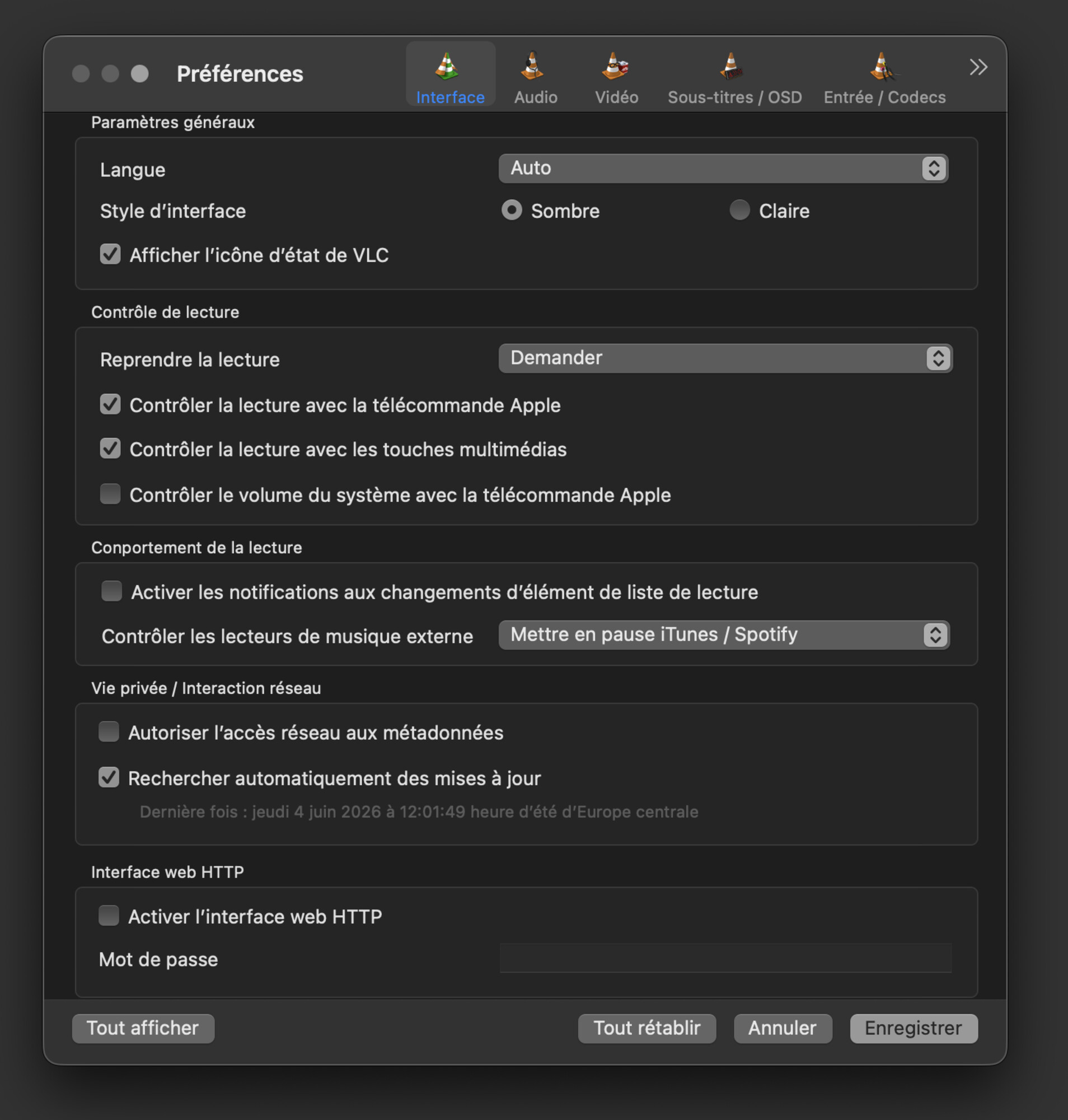
The settings available in the VLC media player.
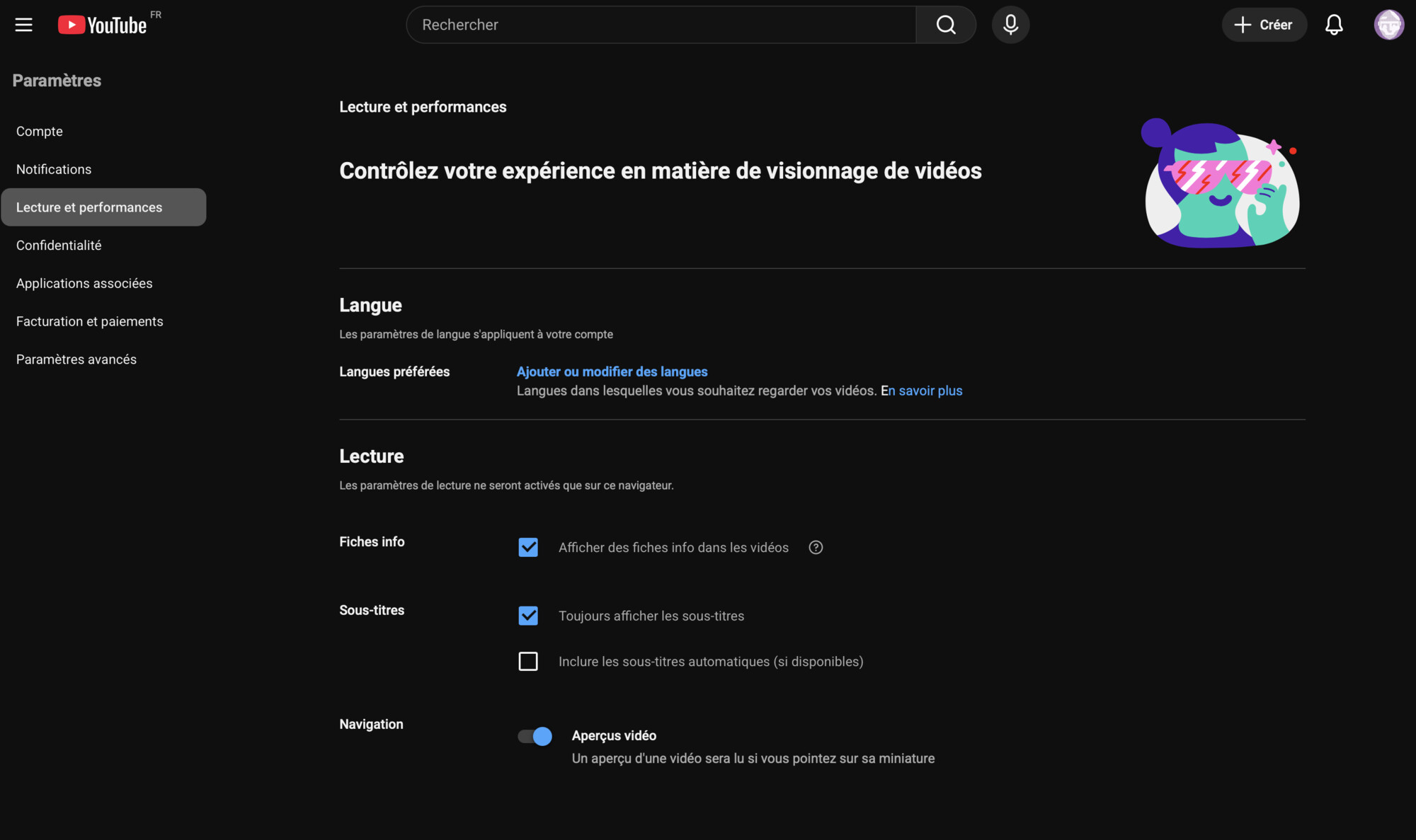
The YouTube interface — considerably more restricted.
Social media platforms push this logic further, turning their platforms into spaces for content production alone. Users can no longer modify the interface they use, and agree to publish according to the conditions set by the application’s designers.

Instagram's interface offers access to different publication formats (story, reel, post), each governed by its own constraints (image, video), which in turn shapes the forms of exchange on the platform.
Dark patterns
A dark pattern is an interface designed to deceive or manipulate the user.

Emails from Duolingo create a false sense of urgency, reinforced by the sad expression of the app's mascot.
It is a subject of study in its own right — particularly valuable for understanding what is at stake in interface design and the role of designers in conceiving interfaces that are fair and suited to genuine use.

A dark pattern experience we've all encountered a few too many times.